sort method over arrays in python

python program to compare two arrays and publish the resultant summary of the comparison operation in a boolean type array

python program to copy an array as another array using copy method

python program to copy an array as
another array using copy method
=============================
Code:
from numpy import *
a = arrange(1,6)
# this method creates a copy of array
b = a.copy()
print('Original Array',a)
print('New Array',b)
b[0]=20
print('After Modification')
print('Original Array:',a)
print('New Array:',b)
Output :
Original Array:[1,2,3,4,5]
New Array:[1,2,3,4,5]
After Modification
Original Array:[1,2,3,4,5]
New Array:[20,2,3,4,5]
What are the various functions and operators available for comparison operation over arrays in python

Question : What are the various functions and operators available for comparison operation over arrays in python ?
Logical Functions available in python for comparison
operation over arrays in python :
logical_and()
logical_or()
logical_not()
Operators available in python for comparison
operations over arrays are :
> - greater than operator
>= - greater than equal to operator
< - less than operator
<= - less than equal to operator
== - equals comparision operator
!= - not equal to operator
What are the various functions available in numpy for processing the elements of one-dimensional arrays

Question: What are the various functions available in numpy for processing the elements of one-dimensional arrays ?
The various functions available in numpy to process the elements of one-dimensional arrays are :
390 - python program to accept two numbers from the keyboard and find their sum

python program to accept two numbers
from the keyboard and find their sum
========================================
Code:
x = int(input('Enter first number:'))
y = int(input('Enter second number:'))
print('the sum of ',x,' and ',y,' is',x+y)
print('the sum of {} and {} is {}'.format(x,y,x+y))
Output:
Enter first number : 92
Enter second number : 88
the sum of 92 and 88 is 180
the sum of 92 and 88 is 180
389 - Replacement field {} with the member operators

Replacement field {} with the member operators
Code-1
var1 , var2 , var3 = 11,12,13
print('variable1={0}'.format(var1))
output:
variable1 = 11
Code-2
var1 , var2 , var3 = 11,12,13
print('variable1={0},variable2={1},variable3={2}'.format(var1,var2,var3))
output:
variable1=11,variable2=12,variable3=13
Note :: In the above print statement , the values {0},{1},{2}
represent the values of var1 , var2 , var3 respectively
388 - Use of Replacement field operator {} on strings

Use of Replacement field operator {} on strings
Example - 01 :
name , age = 'Rambo',50
print('Hello {0} , your age is {1}'.format(name,age))
output:
Hello Rambo , your age is 50
Example - 02 :
name , age = 'Rambo',50
print('Hello {n}, your age is {a}'.format(n=name,a=age) )
output:
Hello Rambo, your age is 50
Example - 03 :
name , age = 'Rambo',50
print('Hello %s, your age is %.2f'%(name,age))
output:
Hello Rambo , your age is 50
387 - python program to find sum and product of two numbers

python program to find sum and product of two numbers
================================================
Code :
# find sum and product of two numbers
x = int(input('Enter first number:'))
y = int(input('Enter second number:'))
#display sum
print('The sum of {0} and {1} is {2}'.format(x,y,x+y))
#display product
print('The product of {0} and {1} and {2}'.format(x,y,x*y))
#display both sum and product
print('the sum of {0} and {1} is {2} and product of {0} and {1} is {3}'.format(x,y,x+y,x*y))
Output :
Enter first number:11
Enter second number:22
The sum of 11 and 22 is 33
The product of 11 and 22 and 242
the sum of 11 and 22 is 33 and product of 11 and 22 is 242
386 - write a program in python to display the sum of two numbers using command line arguments and not by using input function

write a program in python to display the sum of two
numbers using command line arguments
and not by using input function
==========================================
Code:
import sys
sum = int(sys.argv[1]) + int(sys.argv[2])
print("Sum of numbers:",sum)
Analysis:
Here , the arguments passed to the command line
is usually in the datatype of a string which needs
to be converted to integer type before any type of
mathematical operation could occur over the object .
So the arguments are converted to integer datatype by
using the 'int' function over the provided input . In the
program we have mentioned values as argv[1]
and argv[2] as the command line usually accepts any
type of argument first by the name of the program
which is stored in the list and can be accessed from
the list by the list's first element that is argv[0] in each
case , the subsequent arguments are stored in [1] , [2]
and so on . In our case , as we are doing an addition of
two numbers , so we will use the arguments stored at
list's [1] and [2] index , so we have used argv[1] and
argv[2] to access the elements and do the addition
operation .
385 - python program to calculate the area of a circle

python program to calculate the area of a circle
========================================
Code:
# import the math module
import math
# create a variable for radius as an input by the user
r = int(input("Enter the radius of the circle:"))
area = math.pi*r**2
print("Area of the circle:",area)
print('Area of the circle:{0.2f}'.format(area))
output:
Enter the radius of the circle :15
Area of the circle:706.5
Area of the circle:706.5
384 - pop method upon an array in python

pop method upon an array in python
===============================
'pop' method removes the specified item from the array
and returns the array. And if no element is specified
then the last index element in the array is removed and
the array is returned .
example:
import array as ar
a = ar.array('i',[10,20,30,40,50])
a.pop(10)
a.pop()
a.pop()
output:
array('i',[20,30,40,50])
array('i',[20,30,40])
array('i',[20,30])
'exp' method over arrays in python

'exp' method over arrays in python
============================
method to calculate exponents over arrays in python
example:
=======
from numpy import *
arr = array([1,2,3,4])
print("Original Array:", arr)
print("Exponentiation value:", exp(arr))
Output :
=======
Original
Array: [1 2 3 4]
Exponentiation value: [ 2.71828183
7.3890561 20.08553692
54.59815003]
sum method over arrays in python

sum method over arrays in python
============================
sum method is used over arrays in python to return the
sun of all elements in an array
example:
from numpy import *
arr = array([1,2,3,4])
print("Original Array:", arr)
print("Sum value:", sum(arr))
output:
10
13 - Var method over arrays in python
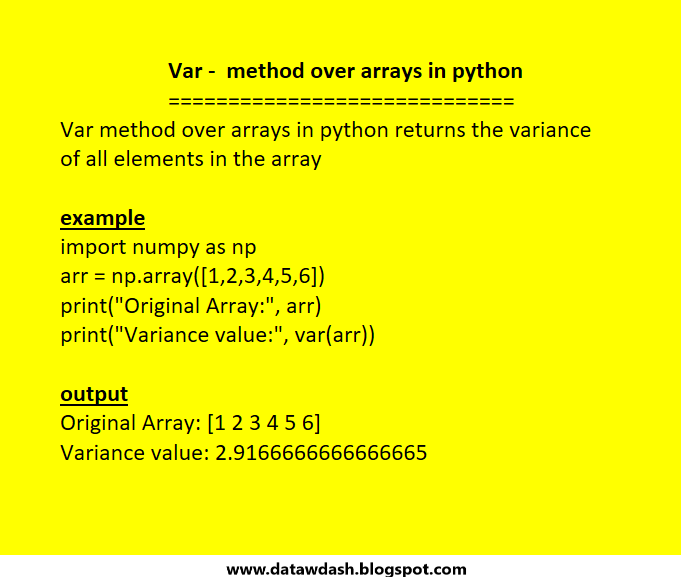
Var - method over arrays in python
==============================
Var method over arrays in python returns the variance
of all elements in the array
example
import numpy as np
arr = np.array([1,2,3,4,5,6])
print("Original Array:", arr)
print("Variance value:", var(arr))
output
Original Array: [1 2 3 4 5
6]
Variance value: 2.9166666666666665
Cov method over arrays in python

Cov method over arrays in python
Cov method over arrays in python is used to find the
covariance of all elements in the array
example
from numpy import *
arr = array([1,2,3,4,5,6])
print("Original Array:", arr)
print("Covariance value:", cov(arr))
output
Original Array: [1 2 3 4 5
6]
Covariance value: 3.5
python program to accept 4 integers in the same line and display their sum

python program to accept 4 integers in the same line and display their sum
==============================================================
Code:
var1 ,var2,var3,var4 = [int(x) for x in input("Enter four numbers:").split()]
print('Sum =',var1+var2+var3+var4)
Output:
Enter four numbers: 11 12 13 14
Sum = 50
Python program to accept 3 integers separated by commas and display their sum

Python program to accept 3 integers separated by
commas and display their sum
--------------------------------------------------------------
Code:
var1 , var2 , var3 = [int(x) for x in input("Enter three numbers:").split(',')]
print('Sum = ', var1+var2+var3)
output:
Enter three numbers: 10,20,30
Sum = 60
here , all the three numbers are being received in a
single line within a list but separated from each other
by commas in-between them . Split function () is used
to isolate the numbers from each other and store them
within each variable .


